Skip to content

Mobile Deposit

Mobile Deposit

Deposit a Check in a Snap!

At Park View, we understand that your time is valuable. That’s why we offer our mobile check deposit feature, allowing you to deposit checks anytime, anywhere with just a few taps on your smartphone.
Whether you’re at home, at work, or on the go, you can make deposits directly into your account without visiting a branch.

Download the Park View app today to get started!

A woman sits in a cafe, focused on her smartphone, making a mobile deposit while enjoying her coffee.

Benefits

Why Use Mobile Deposit

Simple

Deposit checks directly from your mobile device into your Park View checking or savings account or loan – anytime, anywhere!

Quick

Deposit your check in under a minute with real-time deposits and access your funds instantly.1

Secure

Security safeguards prevent anyone from obtaining your financial data.

Get Started

Deposit Your Check in 4 Simple Steps

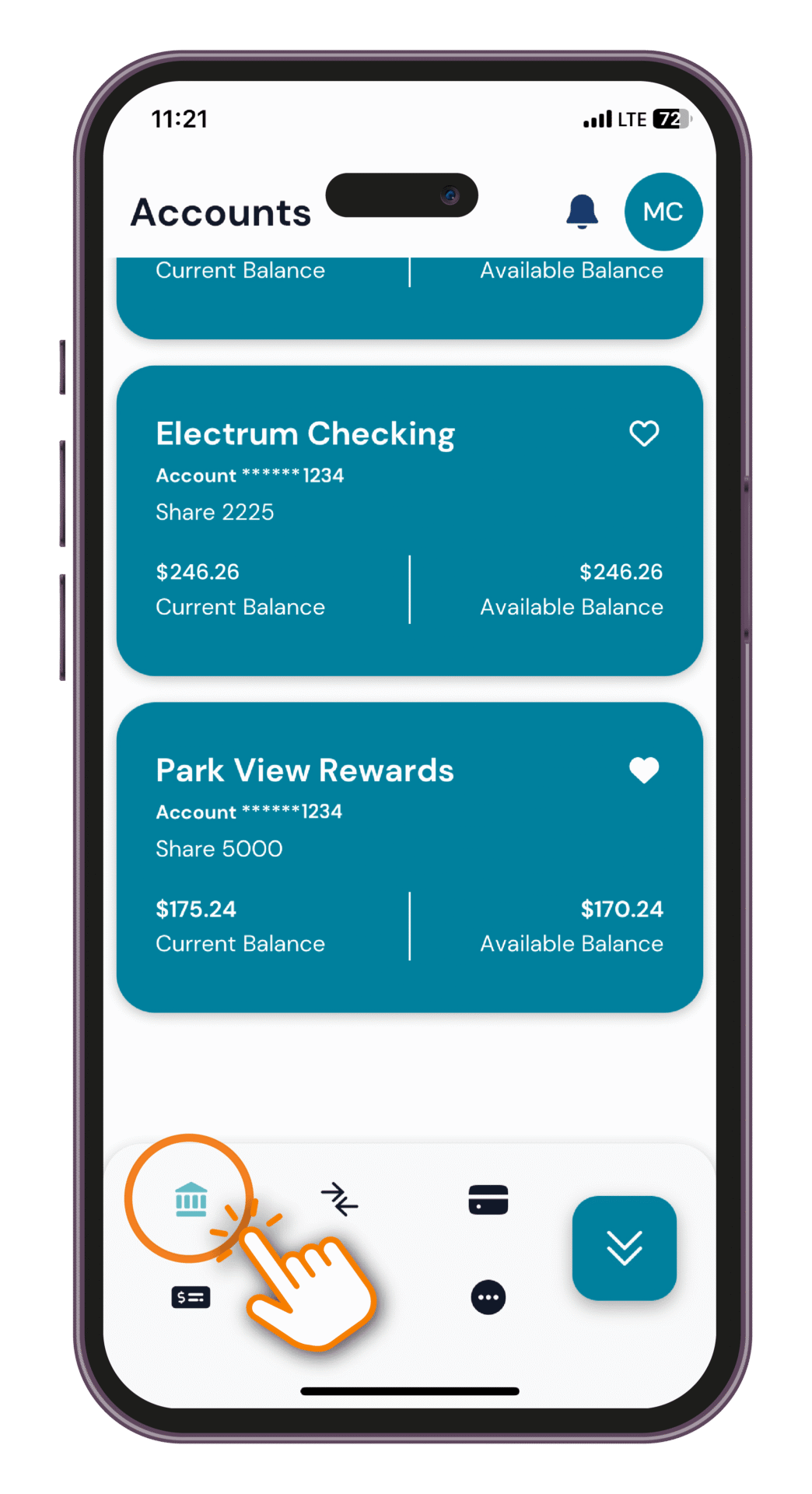
Tap the "Deposit" icon.
Sign into the Park View app and tap the Deposit icon (icon that resembles a paper check) from the menu.
Tap the "Deposit" icon.
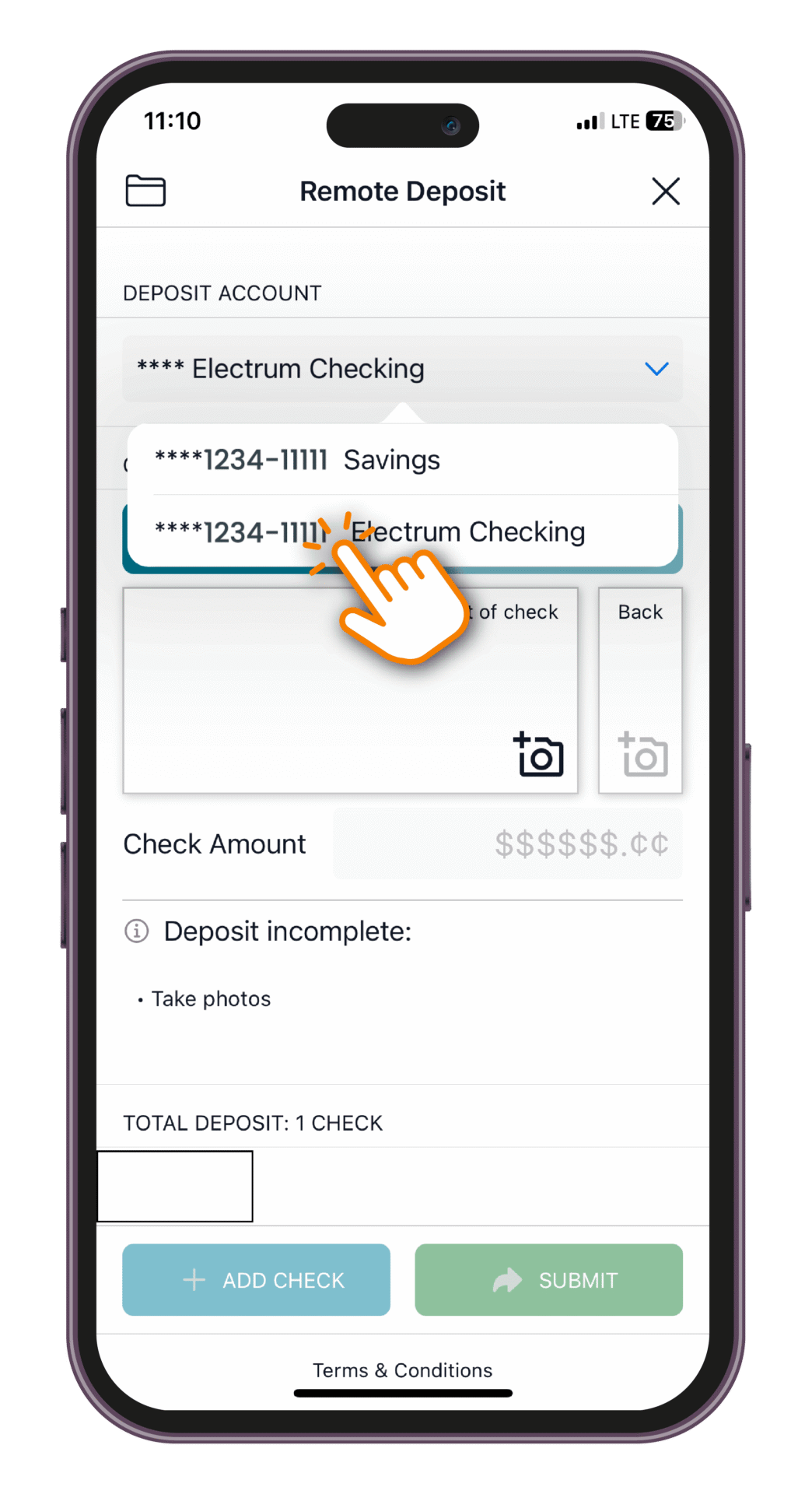
Tap to select your deposit account.
Select an account under Deposit Account where the funds will be deposited into.
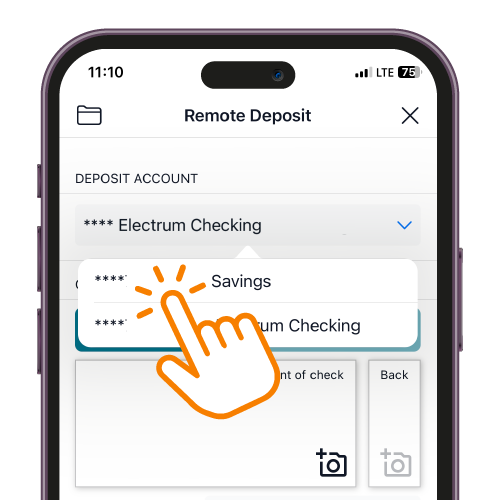
Tap to select your deposit account.
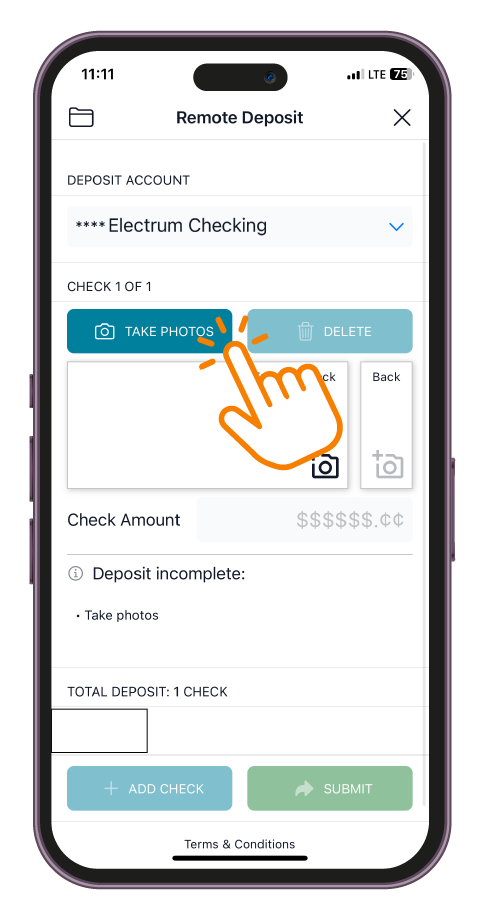
Tap “Take Photos” to snap photos.
Follow the instructions to take a photo of the front and back of the check.
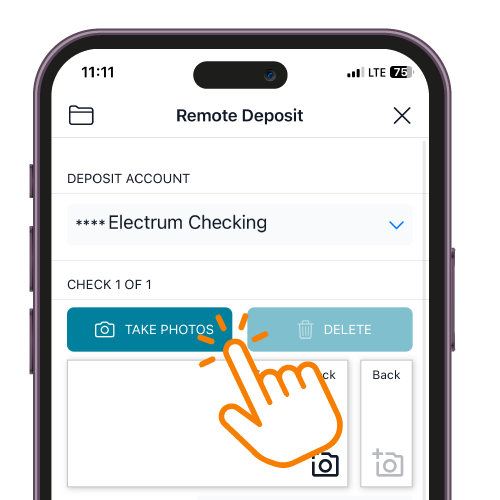
Tap “Take Photos” to snap photos.
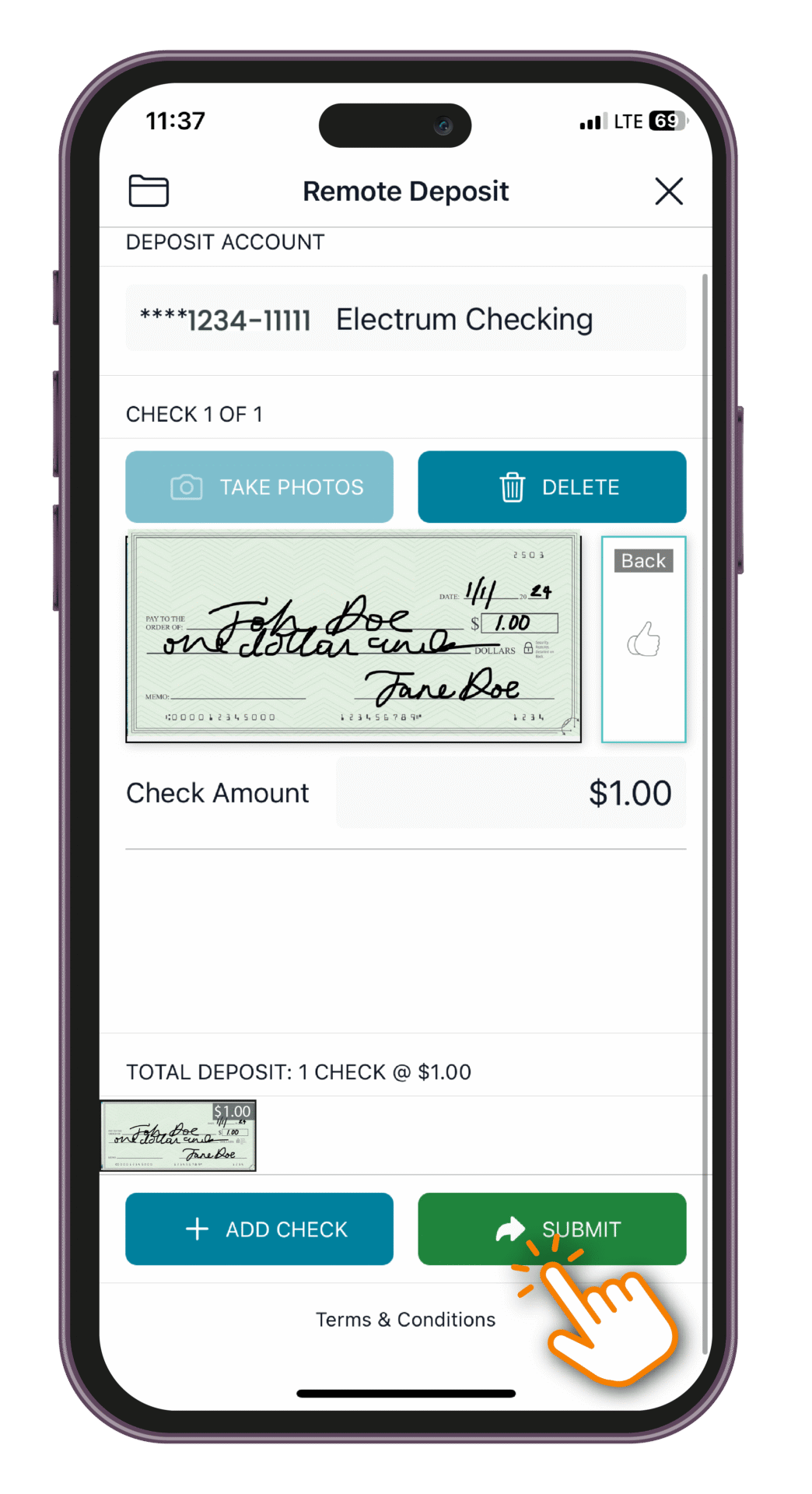
Tap “Submit” to deposit your check(s).
Once submitted, you’ll get an on-screen confirmation. You'll also see the deposit in your transaction history.
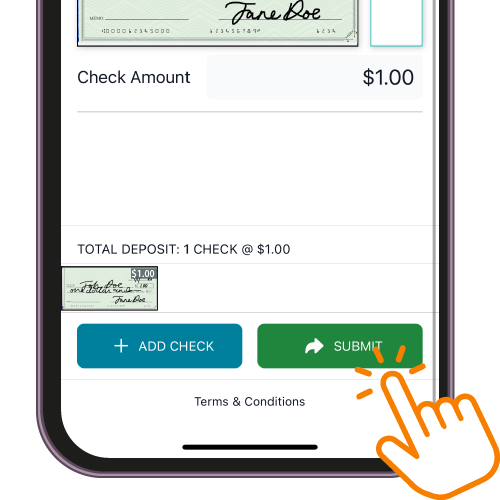
Tap “Submit” to deposit your check(s).
Tap the "Deposit" icon from the menu.

Sign into the Park View app and tap the Deposit icon (icon that resembles a paper check) from the menu.

Tap to select your deposit account.

Select an account under Deposit Account where the funds will be deposited into.

Tap “Take Photos” to snap photos.

Follow the instructions to take a photo of the front and back of the check.

Tap “Submit” to deposit your check(s).

Once submitted, you’ll get an on-screen confirmation. You'll also see the deposit in your transaction history.

Frequently Asked Questions

Mobile Deposit

Get the answers you need to the questions you have about Mobile Deposit.

Park View App

Download the Park View App

It’s like your credit union’s right there with you, wherever you go.
New to online banking? Enroll in your account now.
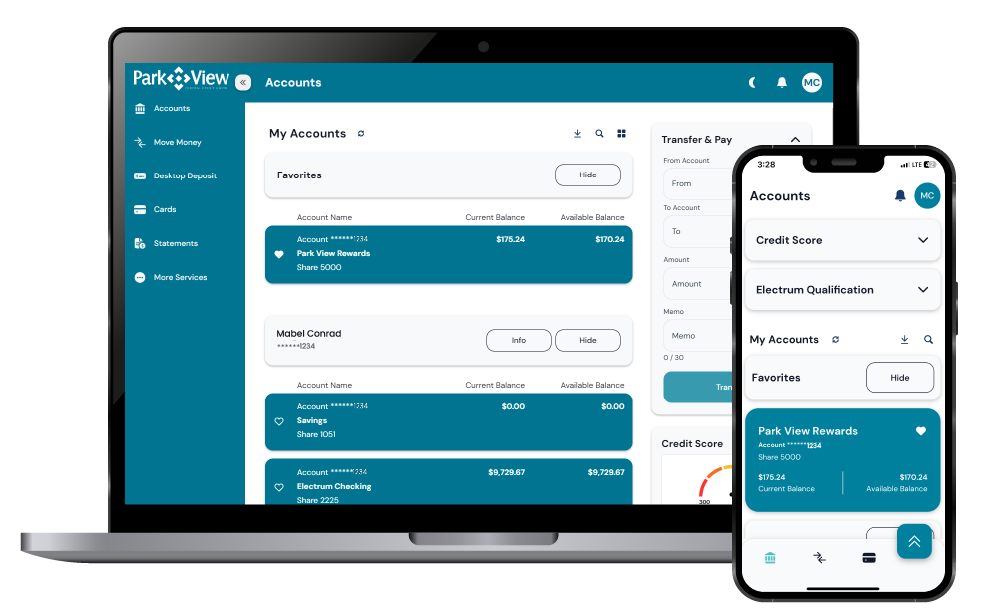
Online and Mobile Banking

Conveniently check your balances, make a transfer, pay bills, access your statements and more.

Disclosures

1Some mobile deposits may have the availability of funds delayed based on recent account activity or other factors.
2Message and data rates may apply from your wireless carrier.