

Mobile banking has completely transformed the way we manage our finances. No more rushing to the branch before closing or hunting for an ATM just to check your balance. With Park View’s mobile app, your banking happens on your schedule, right from the palm of your hand.
The Park View Mobile app isn’t just convenient. It’s packed with features that make managing your money faster, smarter, and easier than ever. From everyday transactions to helpful financial tools, here are the top must-have features you should start using today!
Donate to Nonprofits
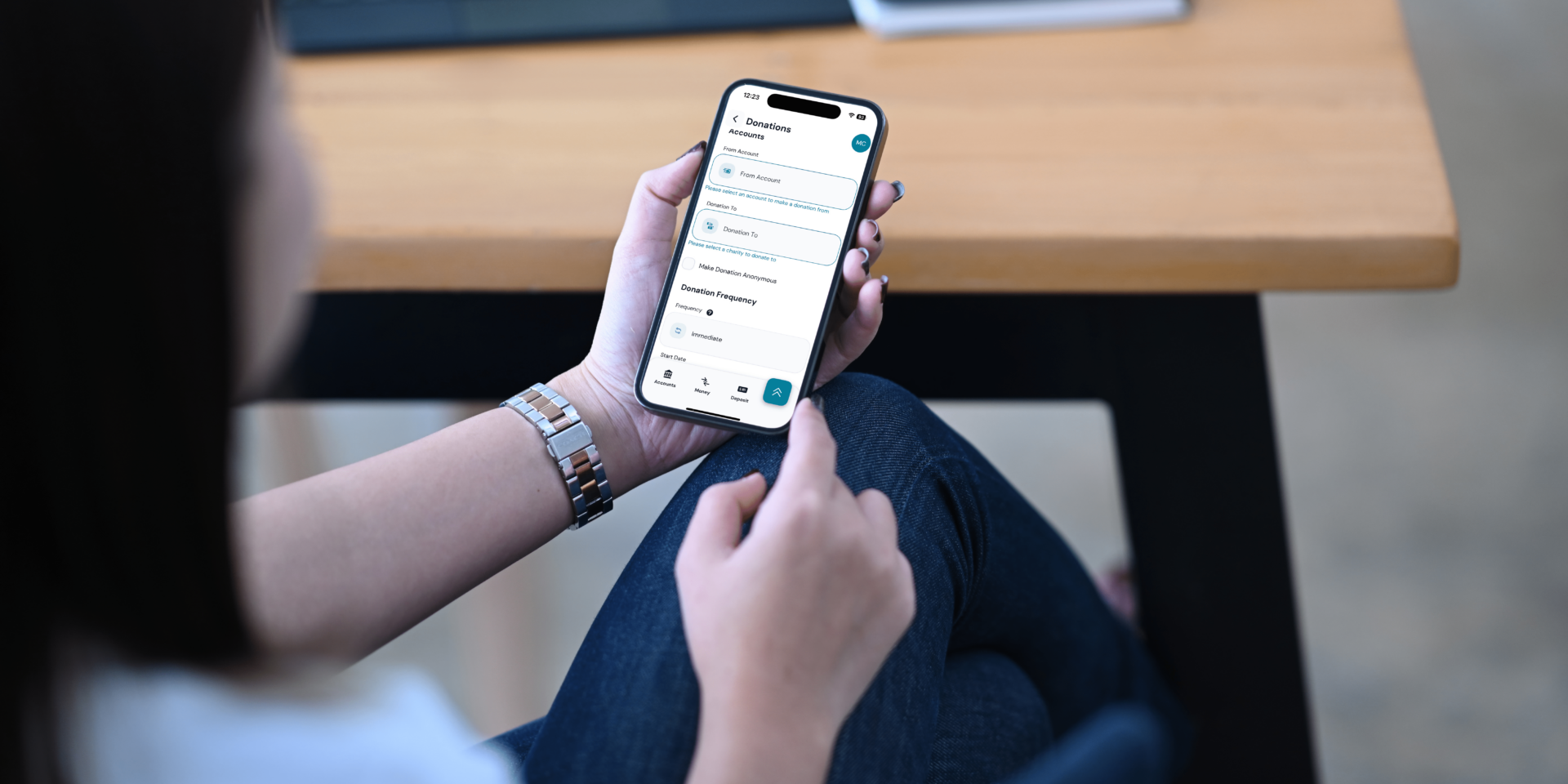
Park View makes it simple for members to support local nonprofits and churches that have partnered with us and enrolled in our donation tool. Using the tool, you can securely transfer funds directly from your Park View account to local nonprofits and churches with no fees. Donating is easy: select Move Money in the mobile app menu, then choose Donations to make a one-time gift or set up recurring contributions. You can even decide whether to share your name or give anonymously. Every dollar you give goes straight to the organization.
Mobile Deposit
Mobile deposit is a feature found only on the Park View mobile app, giving you the freedom to deposit checks right from your smartphone. Simply snap a photo of the front and back, enter the amount, and submit! No branch trips or long lines required.
Quick Balance
Quick Balance is a time-saving feature in the Park View mobile app that gives you instant access to your selected account balances, without a full login. With just a tap, you can view your balances and recent transactions right from the home screen, making it perfect for quick financial check-ins on the go. While tasks like transferring funds or paying bills still require full authentication, Quick Balance streamlines one of the most common banking needs, helping you stay informed and in control every day.
Manage Your Certificate
If you have a certificate at Park View, managing its maturity and dividend preferences is simple and convenient right from the mobile app. When you view your certificate details, most certificate types include a Certificate Options section where you can see your current selections.
Want to make changes? Tap the pencil icon to update your preferences — whether you want to renew the certificate, transfer the balance to another account and close it, or transfer the proceeds and then renew. You can also choose how your dividends are handled: deposit them back into the certificate or transfer them into another account, such as your Rewards account or any other eligible account. It’s a simple, convenient way to stay in control of your savings without visiting a branch or calling the contact center.
Quick Transfers
Need to transfer funds quickly and securely? The Move Money menu makes it simple to manage your finances all in one place. You can easily move money between your Park View accounts, send funds to another Park View member, or transfer to an account at another financial institution. Plus, you have the flexibility to schedule future transfers or set up recurring payments, helping you stay organized and in control of your financial goals.
Debit Card Controls
Debit Card Controls allows you to instantly lock or unlock your card for added security, giving you the peace of mind you deserve. You can also report lost or damaged cards and submit replacement requests. Traveling soon? Add a travel note to ensure uninterrupted access while you’re away. You can even personalize your card with a nickname and set up transaction alerts to stay informed about purchases and account balances.
eStatements
Skip the paper and go digital! Enroll in eStatements to receive your monthly statements securely online. Access your statements anytime, anywhere, with up to 18 months of history stored securely at your fingertips. Plus, you’ll receive an email notification on the first day of each month when your statement is ready—no more waiting for the mail or worrying about lost statements.
Credit-Score Monitoring & Financial Insights
With the credit score feature, you have access to daily credit score updates, full credit reports, and personalized tips. Park View members can view their credit score anytime without impacting their credit, receive real-time alerts about changes to their credit file, and even use the Credit Score Simulator to see how financial decisions might impact their score. Getting started is easy: simply navigate to Credit Score in the mobile app, and enroll by entering your date of birth and accepting the terms. From there, you’ll have 24/7 access to your credit insights and monitoring tools.
Account Alerts
Account Alerts help you keep track of what’s happening with your money. Receive updates by text, email, or push notifications on your phone for account activities like deposits, withdrawals, debit card purchases, loan due dates, and more. With up to 15 customizable alert options, you can tailor notifications to fit your needs — including balance thresholds, overdraft warnings, and ATM transactions. Setting them up is simple: just tap on your initials in the mobile app, select Alerts, and choose the notificaftions you want to stay informed about your account activity.
Secure Login
Bank confidently with 24/7 access to your accounts on your tablet or smartphone. Multi-factor authentication (MFA) ensures that only you ca access your accounts, and biometric security—like fingerprint ID and facial recognition on supported devices— adds an extra layer of protection. Remember, Park View will never ask for your MFA codes. NEVER share them with anyone.
-
1. What is a Bitcoin ATM
-
2. Why Criminals Love Bitcoin ATMs
-
3. How a Bitcoin ATM Scam Works
-
4. Warning Signs of a Bitcoin ATM
-
5. How to Protect Yourself

Download the Park View App
It’s like your credit union’s right there with you, wherever you go.
New to online banking? Enroll in your account now.


Make the Most of Your Mobile Banking App
Whether you’re checking your balance while waiting for your latte or sending money to another Park View member, the Park View Mobile App brings simplicity, security, and convenience together in one place.
If you’re already using the app, now’s a great moment to dive deeper and explore tools you haven’t tried yet. And if you’re new to mobile banking, these features make getting started easier than ever. Download the Park View Mobile App on the App Store or Google Play Store and experience smarter banking at your fingertips
Share This
You May Also Like

Is Your Teen Ready for a Checking Account?

Saying Goodbye to the Penny

Check Your Bank Balance Instantly with Quick Balance—No Login Needed
Want to learn more?
Discover additional resources and other financial topics by visiting our Financial Education Center.